
Transactions and recurring bills
Every expense and bit of income is one line on the Transactions page. Search and filter them, fix several at once, and let rent, subscriptions and pay repeat on their own.
On this page
Add and change transactions
Add transaction opens a form for an expense or income, or use the assistant. Tap a transaction to change or delete it; its history shows who added and edited it.
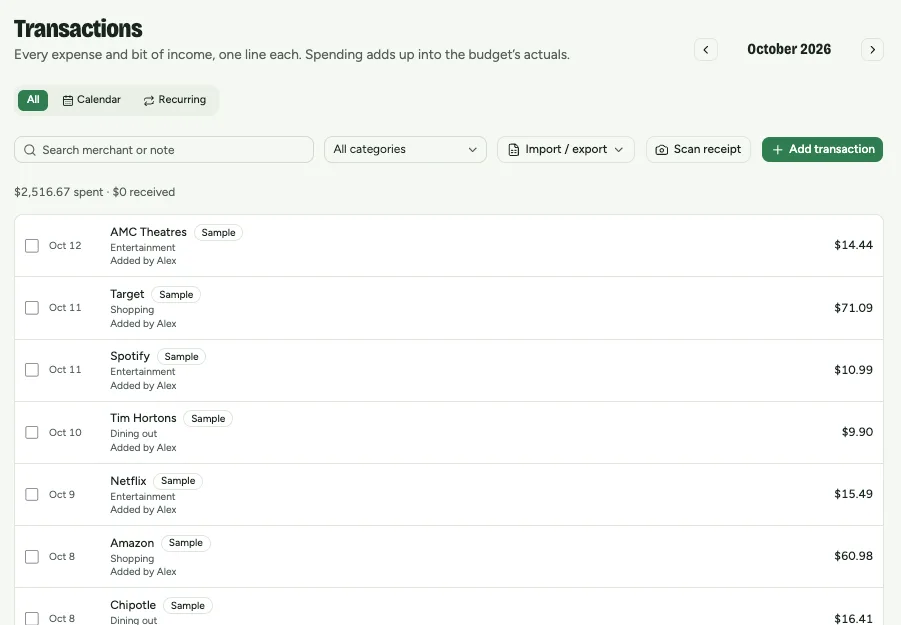
Find and fix several at once
- Search by shop or note, and filter by category.
- Tick several transactions to Move to category… or Delete them together.
- The Calendar tab shows each day’s spending, flags unusual days and possible duplicate charges.
Make a transaction repeat
- 1
Record the first one, your rent say, as you would any transaction.
- 2
Set Repeat: weekly, every two weeks, monthly or yearly. Set Ends on if it stops, such as a cancelled subscription.
- 3
The next ones are added on their own when they come due.
The Recurring tab lists every schedule. Pause stops adding until you resume; editing a schedule changes the ones still to come, never ones already added.
Export to CSV
With Premium, Import / export → Export CSV downloads every transaction in a date range, ready for Excel, Numbers or Google Sheets.